How do I hide videos from students using a private folder?
Create a subfolder in the base course Panopto folder.
Once in the folder, click the gear icon to go to the new folder's settings.
Choose "Share" from the sidebar of options.
Under "Who can access this folder", click "Change". Do not click the first listed "Change" link under "People and Groups"

A pop-up will appear. Uncheck "Inherit members and permissions from..." and keep checked "Keep 2 members as added users".
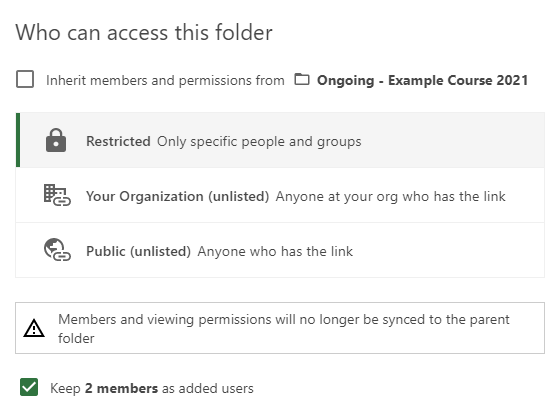
Click "Save".
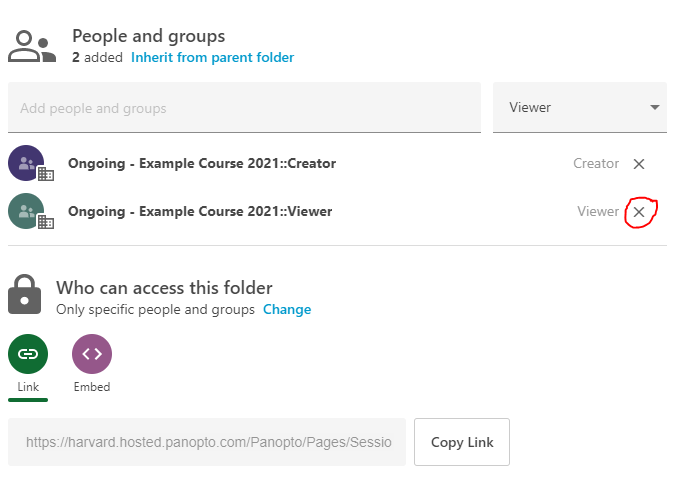
The pop-up will disappear and you will see an option to remove one of the two groups under "People and Groups" by clicking the "X" next to the name. Click the "X" next to the "Viewer" group and click "Save". This prevents students from viewing the folder.